> For the complete documentation index, see [llms.txt](https://help.travelledger.org/llms.txt). Markdown versions of documentation pages are available by appending `.md` to page URLs; this page is available as [Markdown](https://help.travelledger.org/tl-pay-virtual-cards-vccs/reconciling-virtual-cards.md).
# Reconciling Virtual Cards
Advice on reconciling virtual card spends
Reconciling virtual card spend is dependent on the card type and also whether the supplier is integrated with Travel Ledger or not.
### Integrated vs Non-Integrated Suppliers
**Integrated (e.g., Expedia TAAP):**
* Booking and payment data flows from the supplier into Travel Ledger automatically and is matched for you.
* On the **Multi Use Cards** tab, selecting your card shows every charge together with the booking data the supplier provides - detailed product information and, for deferred-payment bookings, the anticipated charge dates.
* Reconciliation is same-day and automated (marked as paid or unpaid depending on whether the booking is instant or deferred payment).
**Non-Integrated Suppliers:**
* Reconciliation relies on the booking information you entered when creating the card: supplier and internal booking references, passenger, destination, account code, notes.
* The card’s dashboard entry shows whether it has been charged and displays those details alongside, supporting simple matching back to your systems. Completing the optional itinerary fields at card creation is therefore recommended as standard practice.
* Payment is recorded when the charge posts.
* Some manual reconciliation may be needed.
{% hint style="info" %}
**Tip: Use single-use cards for non-integrated suppliers and multi-use cards for integrated suppliers to simplify reconciliation.**
{% endhint %}
### Reading the cards grid: Single Use vs Multi-Use Cards
The **Virtual Cards Dashboard** is your working view - every card issued on the account, with everything your finance team needs in the columns.
#### Single Use
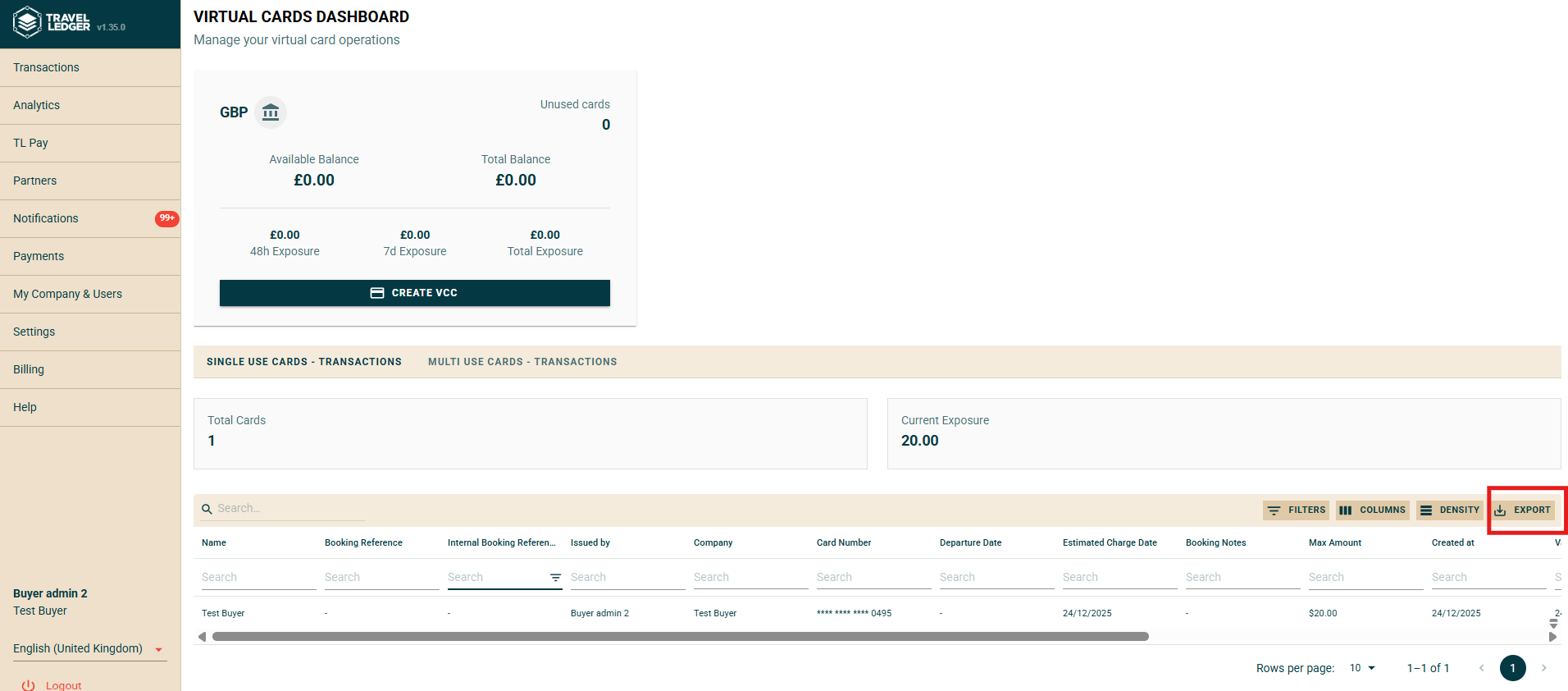
All created cards will display under the single use card dashboard, allowing you visibility to whether the card has been charged or not, and displaying the details entered at time of creation (supplier, reference etc), supporting simple reconciliation.
Single-use cards grid
Charge Details - multiple captured charges with a running total
#### Multi-Use
All cards will display under the multi-use card dashboard, you will need to choose the card you wish to review from the pick list. Selecting a card allows you visibility to whether all charges made on the card, and displaying the details inputted at time of creation (supplier, reference etc), supporting simple reconciliation.
For integrated supplieres, such as Expedia TAAP, you will have visibility to the booking data provided by them, including detailed product information and anticipated charge dates on deferred payment bookings.
### Exporting Data
The displayed data can be exported from Travel Ledger. This can be accessed by clicking on the 'Export' button to the top right of the grid display: